
Coupang Passkey
Passkey Guide for Coupang Customers
In today's digital age, account security is a concern for all of us. To better address our customers' needs, Coupang has adopted Passkey. Enjoy safe and easy login with a single touch, supported by biometric authentication, passkey authentication, and multi-factor authentication.


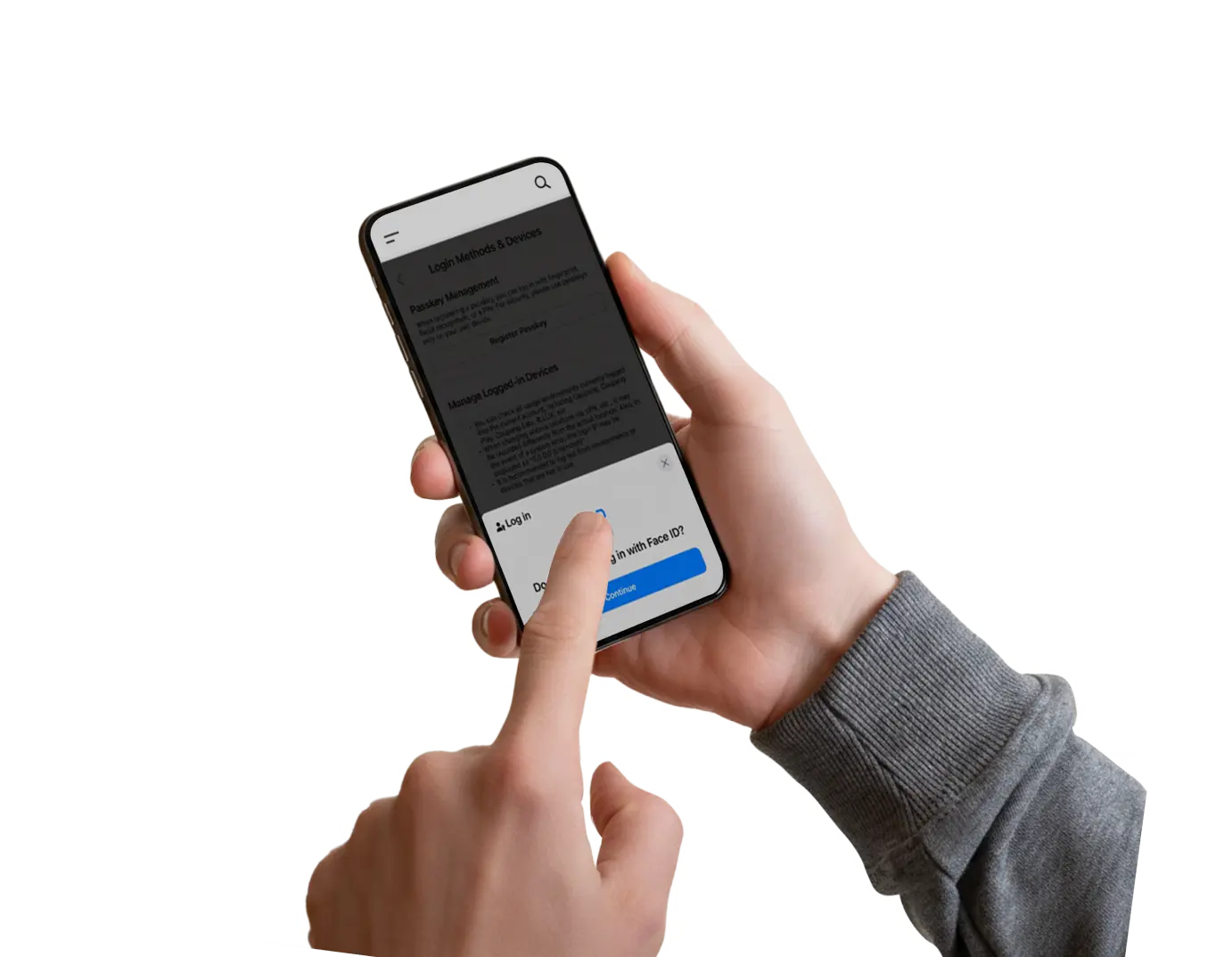


WHAT IS A PASSKEY?
To elevate our customer experience, Coupang has officially adopted FIDO(Fast Identity Online)compliant Passkey authentication technology.
Passkeys enhance account security while offering users a safer, more convenient shopping experience through simple, passwordless sign-in.
Passkeys are a passwordless authentication method built on robust encryption technology, making them resistant to phishing attacks.
They are designed to deliver a safer and easier sign-in process that replaces traditional passwords that users need to remember.
WHY CHOOSE PASSKEYS?
-

Safer
Passkeys cannot be guessed, leaked, or phished—eliminating the risk of dark web exposure.
-

Faster
Using biometrics or a PIN, Passkeys speed up your sign-in process with no passwords to remember or SMS codes to wait for.
-

Easier
Compatible across major operating systems like Android and iOS, Passkeys deliver a consistent passwordless experience on any platform.
-

Smarter
Delivering MFA-level security in a single step, Passkeys reduce effort for users.
HOW TO CREATE A PASSKEY?
-
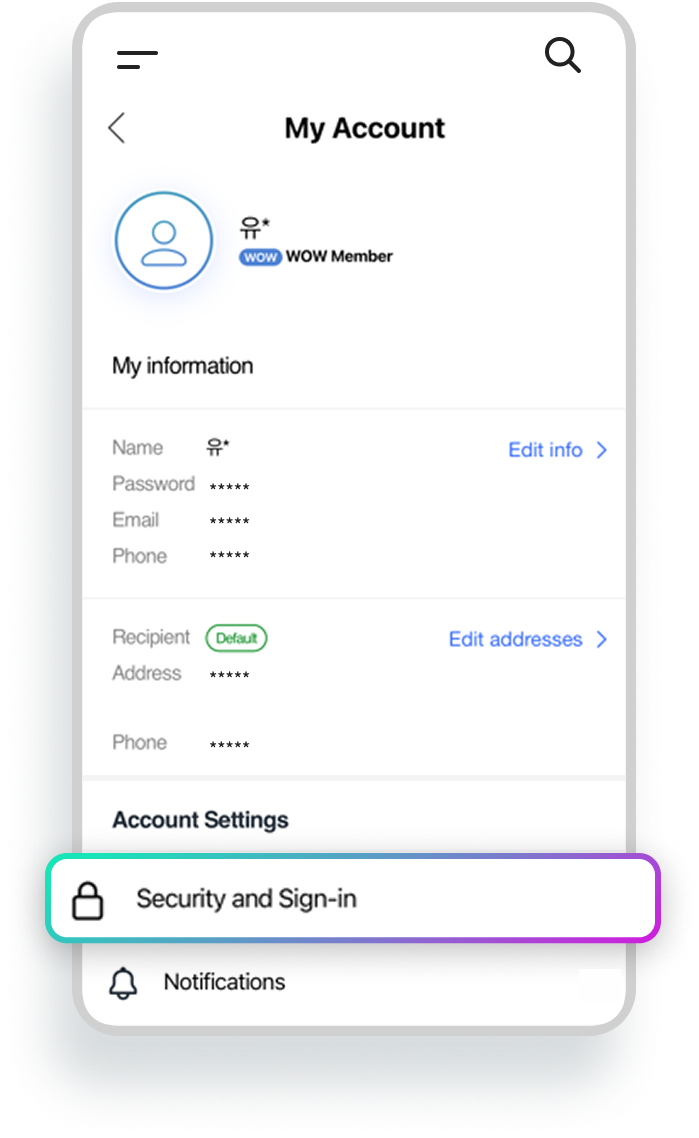
Open the Coupang app, go to My Account, and tap ‘Security and Sign-in’. Open the Coupang app and go to My Account.
Tap Security and Sign-in. -
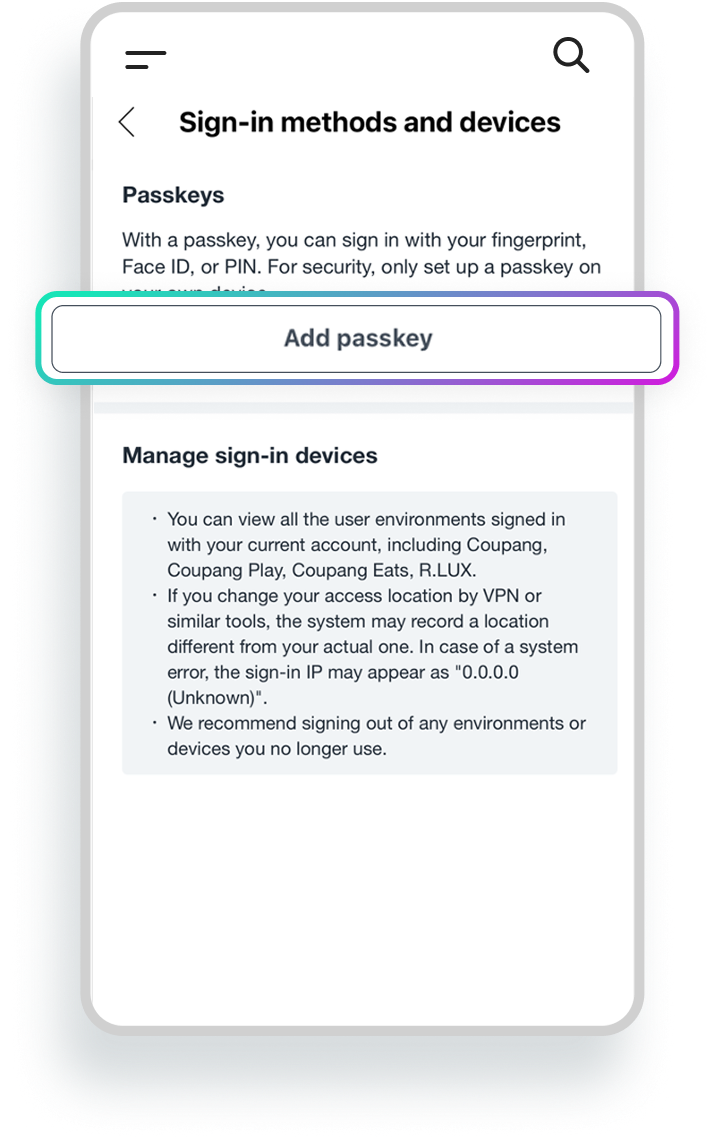
Tap Add Passkey. Tap Add Passkey.
-
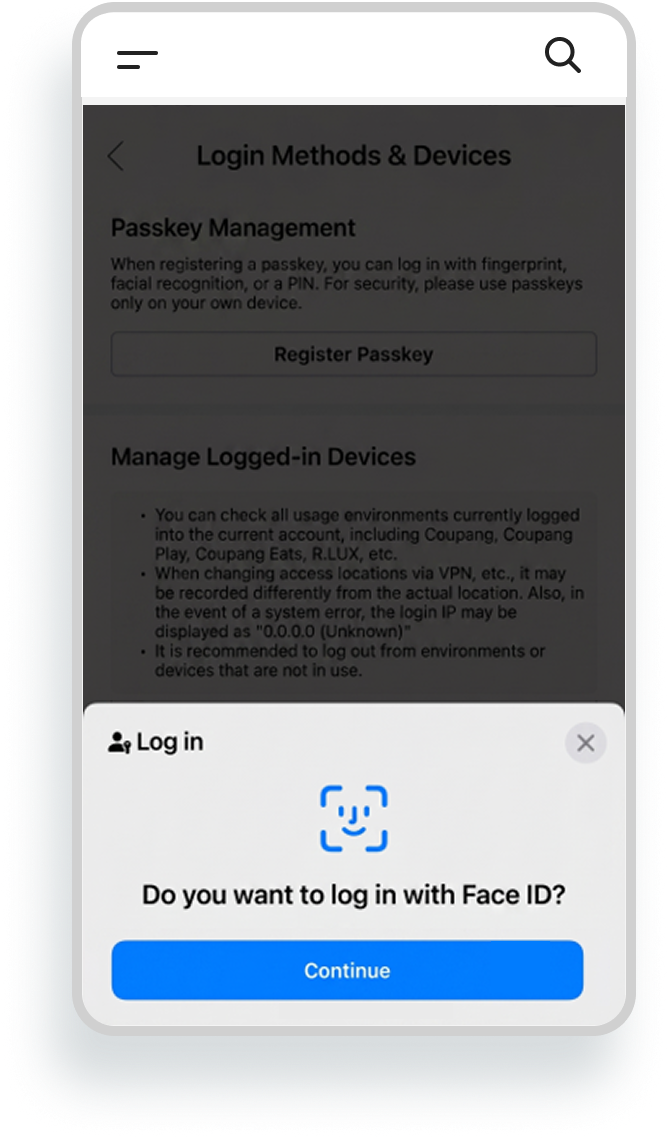
Authenticate using your device's biometrics or PIN. Authenticate using your device's registered
biometrics or PIN. -
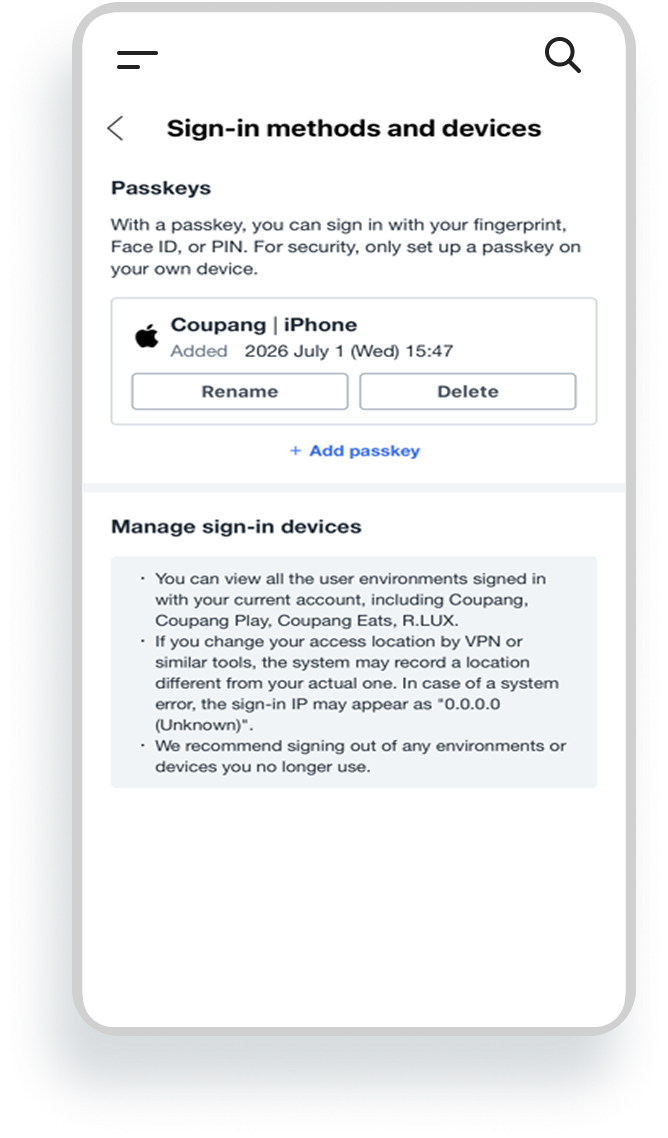
Passkey setup complete! Passkey setup complete!
FREQUENTLY ASKED QUESTIONS
What makes Passkeys a more secure and convenient way to sign in?
With Passkeys, users can authenticate using biometrics or a PIN and sign in quickly and securely, without having to remember passwords or wait for SMS verification codes.
Why is Passkey unavailable on my phone?
- System version:
- Update your phone's operating system and the Coupang app to the latest version (requires iOS 16+ or Android 9+).
- Turn on screen lock:
- Set up face recognition, fingerprint recognition, or a passcode on your device. Passkeys require an active screen lock.
- Enable account services:
-
- iPhone: Sign in to your Apple ID and turn on iCloud Keychain.
- Android: Sign in to your Google Account and turn on Google Password Manager.
- If you continue to experience issues after completing all of the above:
- Please contact Customer Support for assistance.
Will my Passkey transfer when I switch to a new phone?
- Enable Synchronization:
-
- Sign in with the same Apple ID (iPhone) or Google Account (Android) on your new phone.
- Turn on iCloud Keychain or Google Password Manager and make sure synchronization is enabled.
- Install and launch the latest version of the Coupang app. Once completed, your Passkey will automatically be available on your new device without any additional setup.
- If you no longer use your previous phone, erase all data from the device to help protect your Passkey information.
- If Your Passkey Does Not Sync:
-
- Sign in using an alternative method, such as your password or SMS verification.
- Go to My Account, delete the registered Passkey, and create a new Passkey on your new device for quick and secure access.